The business side of building, handled.
briefcAIs™ is one app for the quote, the job and the paperwork. Talk through a site visit and get a quote to check. Run the job from your phone. Keep the paperwork in order. Made for small crews and the people who run them.
estimAIt opens first. Every new company starts with a 14-day free trial, no card needed.
One app, three parts
Install briefcAIs once and switch between the parts from a drawer at the bottom of the screen. Each part also works on its own, so you only pay for what you use.

estimAIt
- Walk the site and talk. Your voice memo and photos become a draft quote, priced from your own price book.
- You check every line before anything goes out. Your crew sees the scope, never the prices.
- Customers open the quote from a link with an access code, accept it, and pay the deposit by card or bank transfer, straight to your account.

operAIt
- A 3-week schedule for the crew, with every sub’s dates and what moves when something runs late.
- A daily log for each job, by voice, with crew hours and the weather filled in for you.
- Clock in by job and task from the phone. You approve the week and export the hours for payroll.
Screens coming soon
legitimAIt
- Contracts, change orders and pay applications, with the math done for you.
- Lien waivers, insurance certificates and their dates in one place, with reminders before anything comes due.
- A record of what was signed, sent and paid, ready when someone asks for it.
From a site visit to a paid deposit
This is estimAIt, the part that opens first. The screens are from the app’s design, with a sample company.
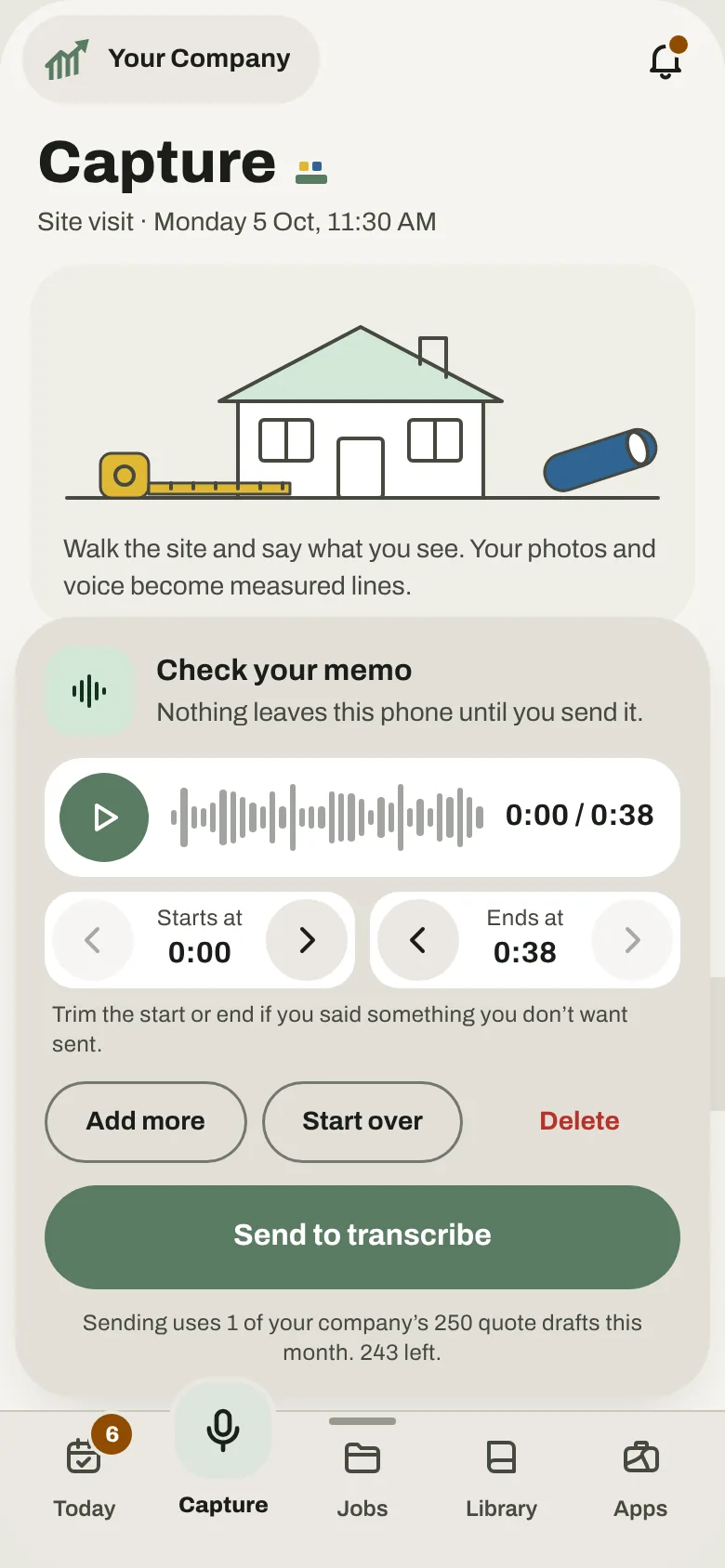
Talk through the visit
Say what you see while you walk the site. Photos and notes go with it, and nothing leaves your phone until you send it.
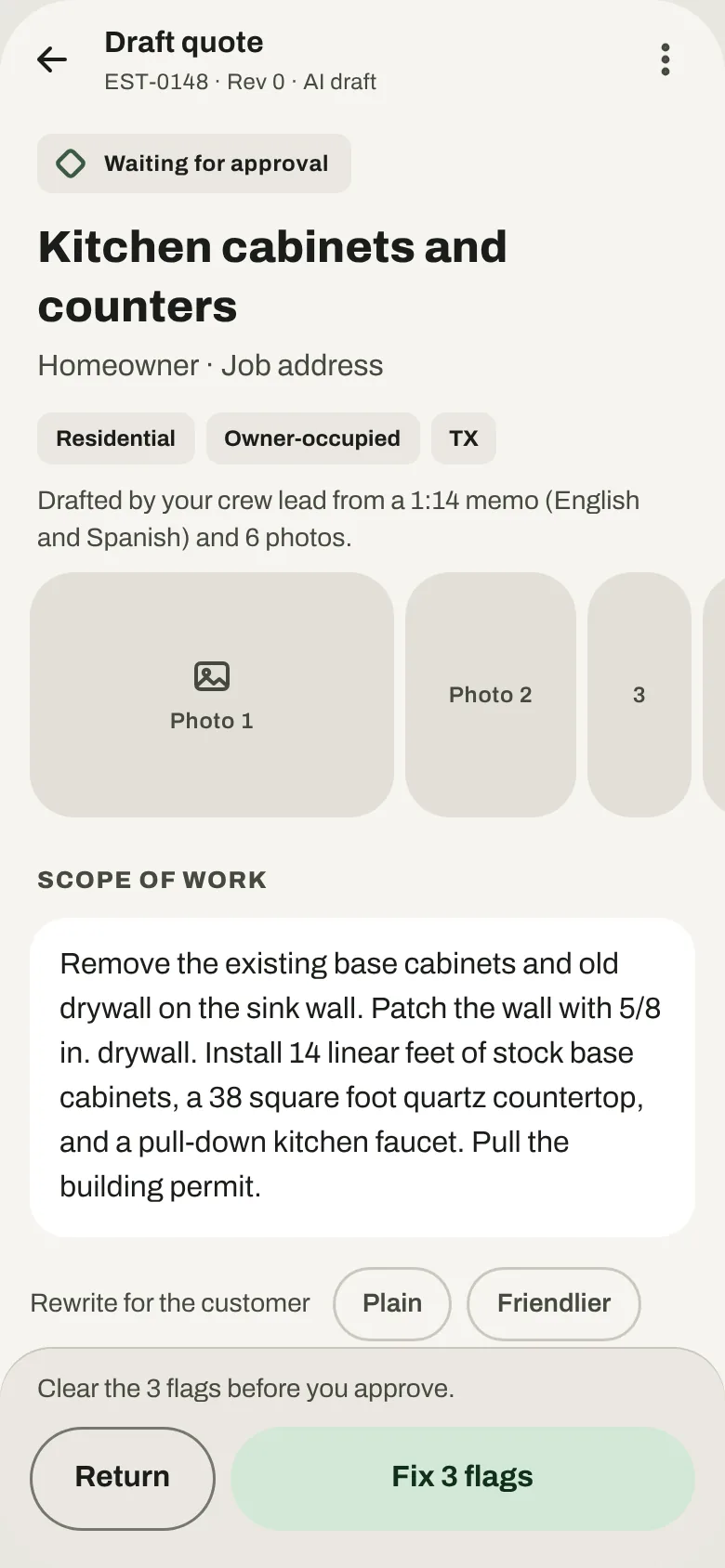
Check the draft
estimAIt writes the scope and the lines from your price book. Fix anything it flags, then approve it.
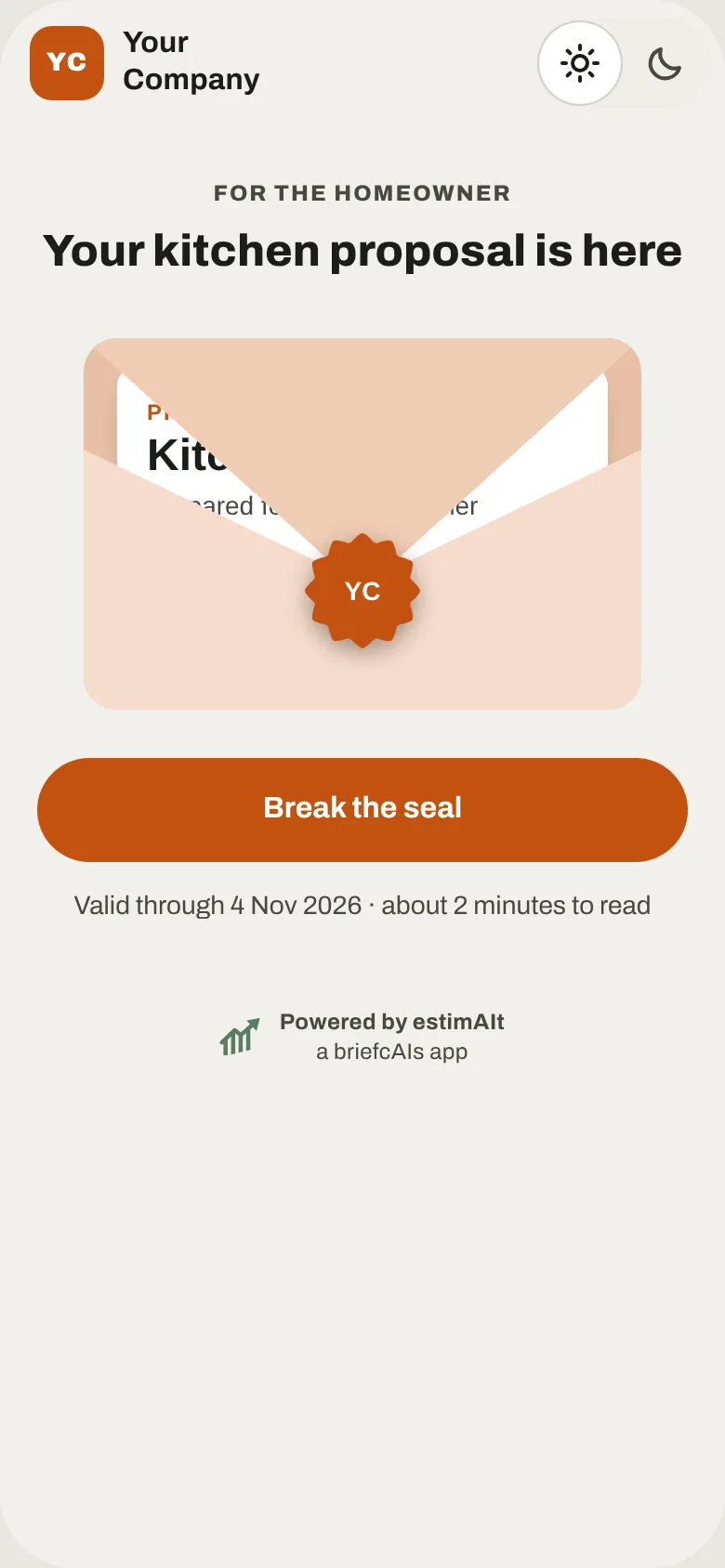
Your customer opens it
They get a link and an access code by email, on any phone or computer. There’s nothing for them to install.
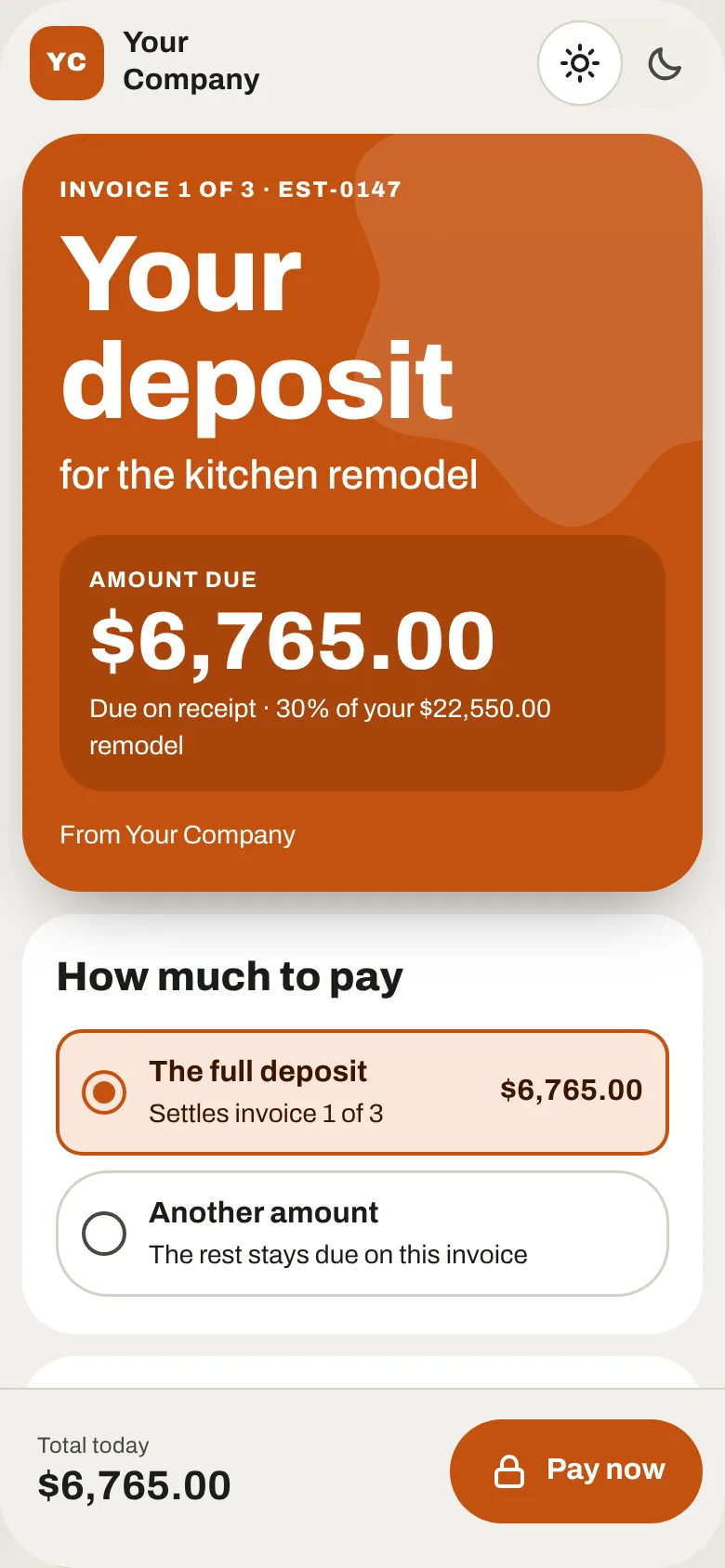
Take the deposit
They pay by card or bank transfer, and the money goes to your own account. You’ll see it on Today.


From a three-week plan to approved hours
This is operAIt, the part for running the job. It’s being designed now, and these screens are from that design, with a sample company.
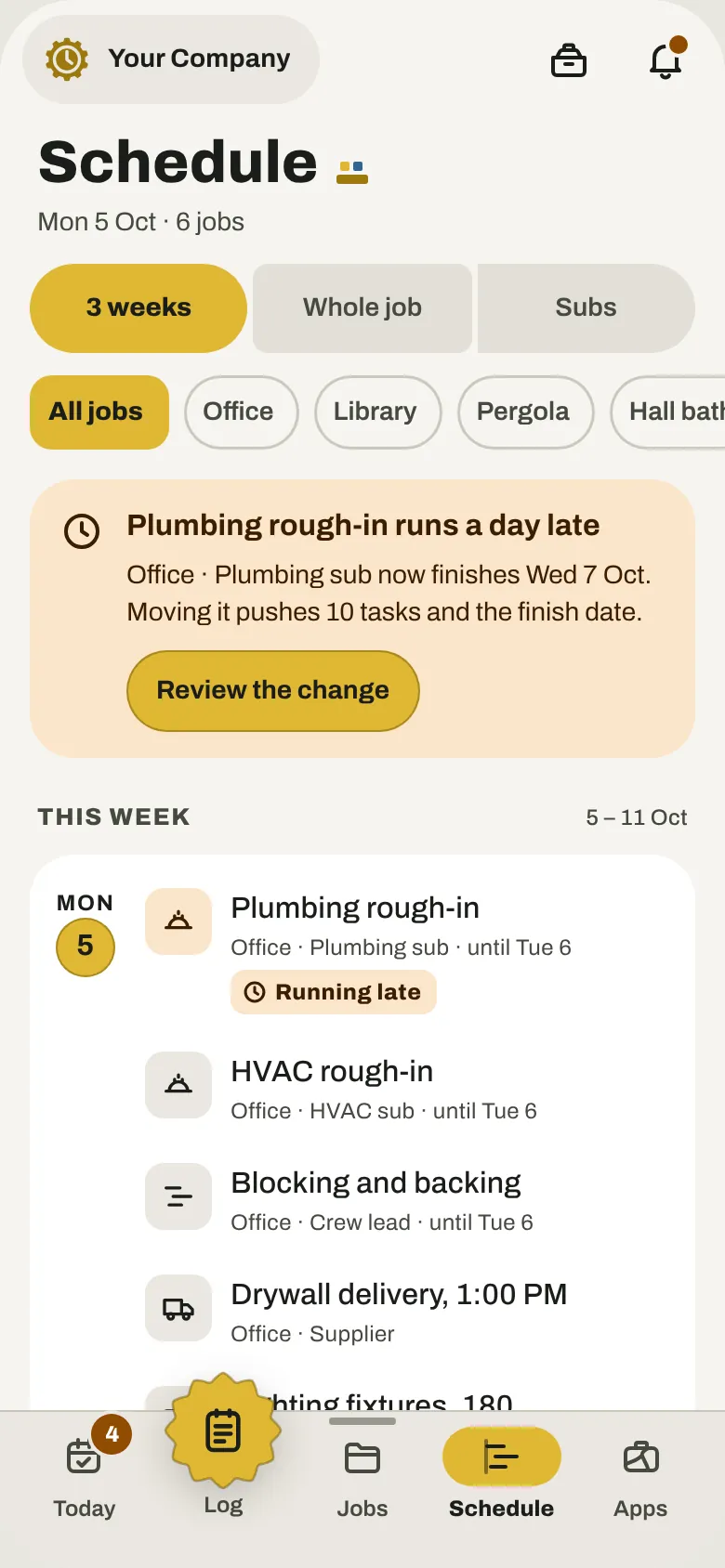
Plan three weeks
Every task, sub and delivery for the next three weeks. When something runs late, you see what it pushes before anything moves.
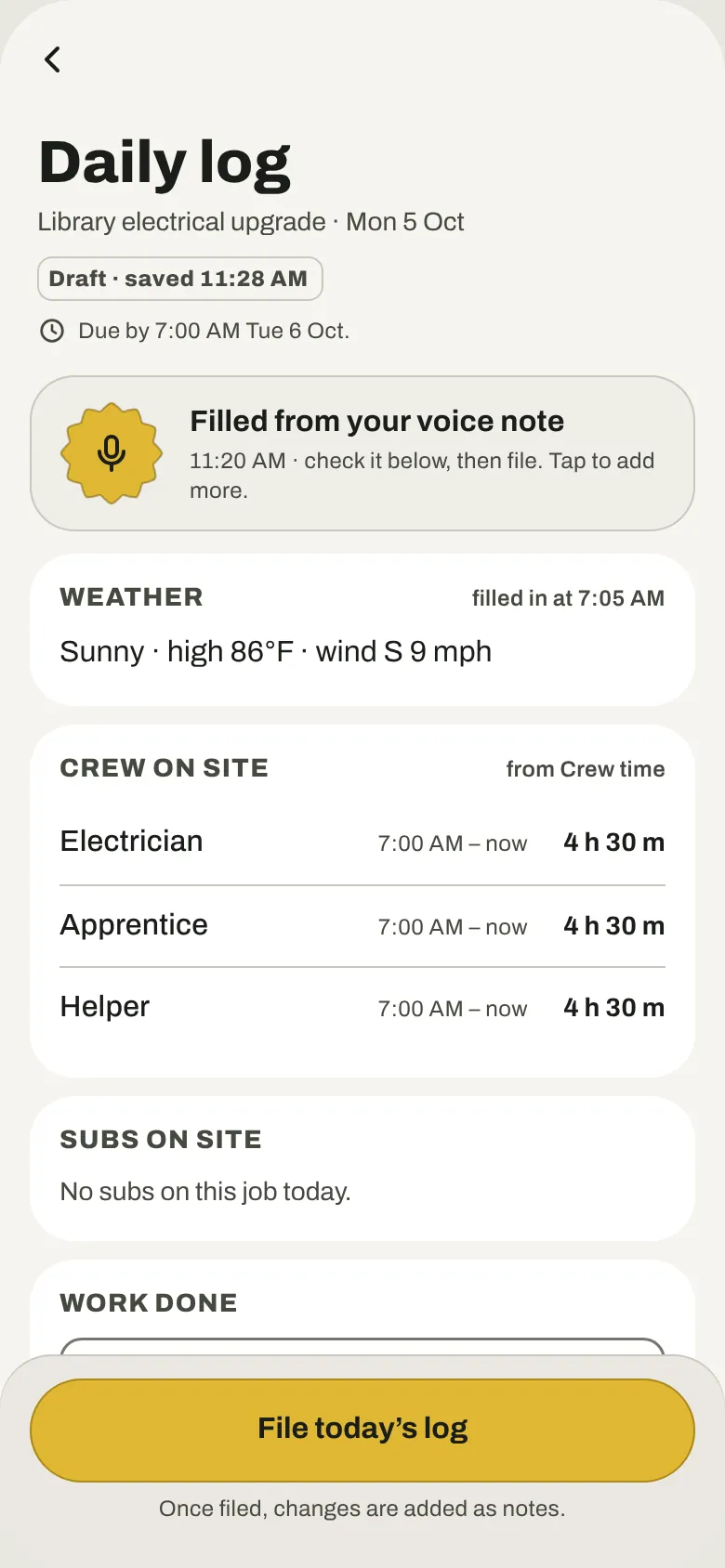
Log the day by voice
Talk through what got done. The weather and crew hours fill themselves in, and you check the log before you file it.
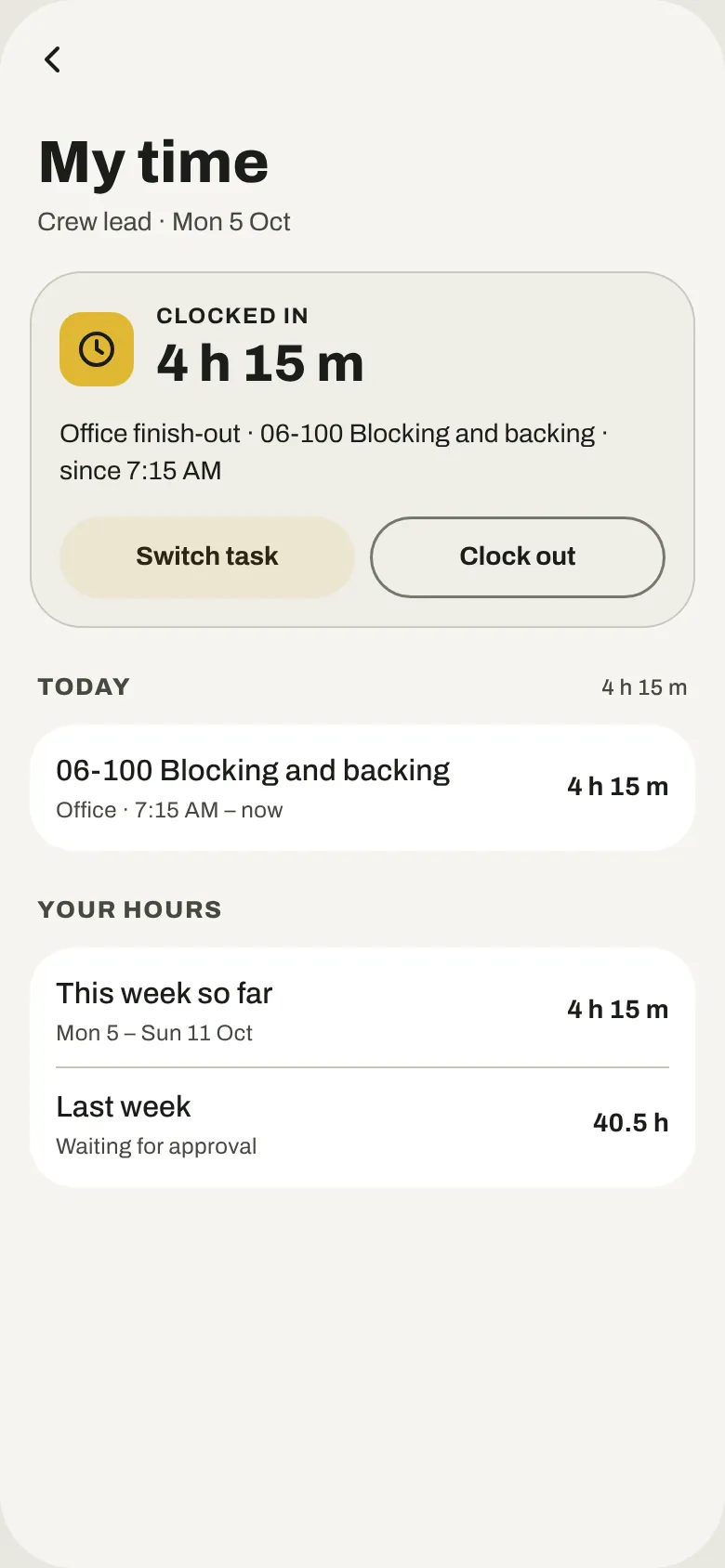
Clock in by job
Your crew clocks in and out by job and task from the phone, so the hours add up by the kind of work.
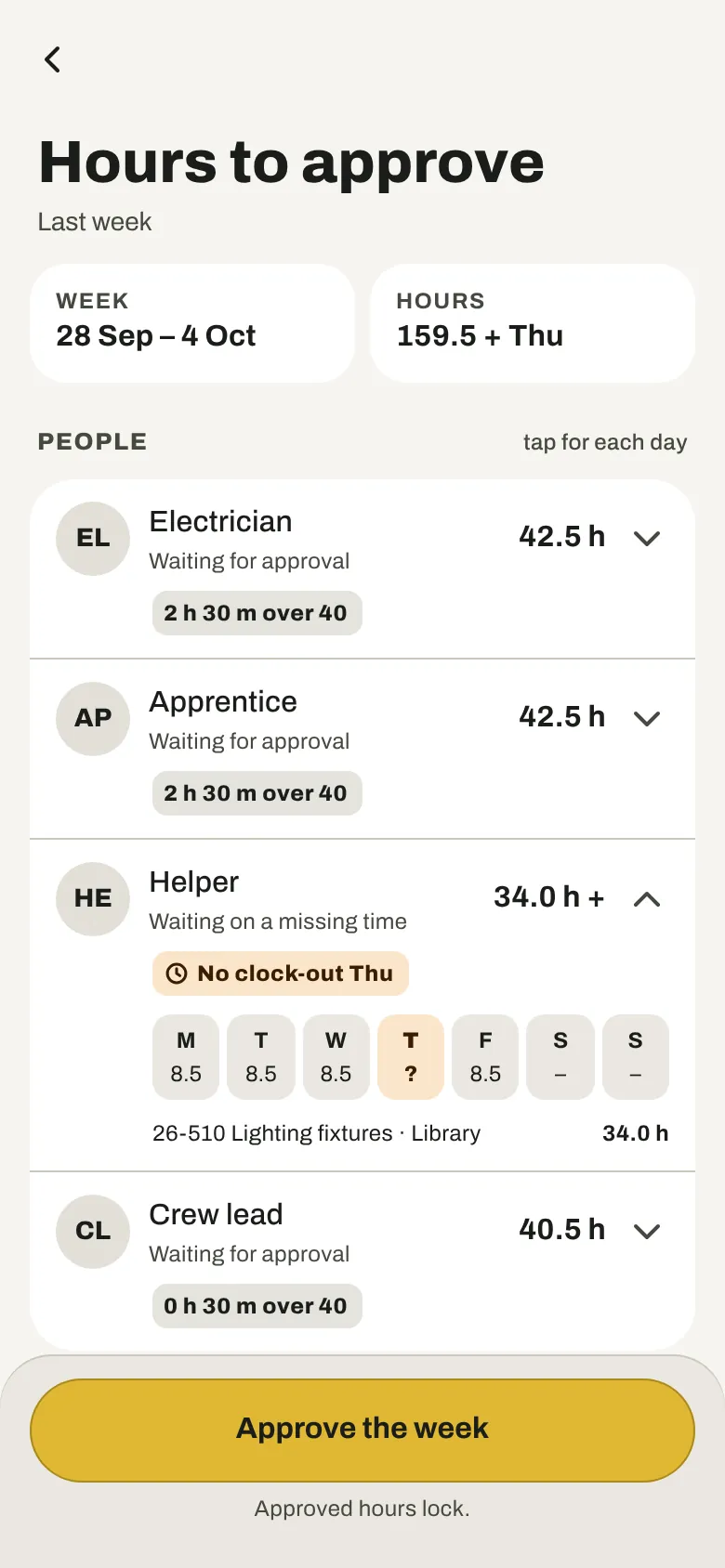
Approve the week
Check each person’s hours, approve the week and export it for payroll. Hours only: pay rates stay out of operAIt.


From a signed contract to the last payment
This is legitimAIt, the part for contracts and records. Its screens are still being drawn, so these sketches show the steps it’s built around.
- In design
Send the contract
The contract fills in from the accepted quote. You read it and approve it, and your customer signs from a link in their email.
- In design
Sign changes first
Record a change on site. The office prices it, and the customer signs it by email before the work starts.
- In design
Keep papers current
Lien waivers and insurance certificates stay with the job, with reminders before anything runs out.
- In design
Bill the work
Pay applications with retention worked out for you, and a record of what was signed, sent and paid.
Built for the field
Works with no signal
Record, write and look things up in a basement or on a roof. What you did sends itself when you’re back online.
Crews see the work, not the prices
Field users get scopes, schedules and hours. Prices and totals stay with you and the people you choose.
Your name on what customers see
Quotes, invoices and payment pages carry your logo, your color and your license line.
Room for the whole team
Seats are shared across all three parts, and you choose what each person can open and approve.
Paper or Blueprint
A light look for bright days and a dark one for early starts. Everyone picks their own.
Cancel in two taps
From Plan and billing, any time. No phone call and no form to fill out.
What it does, and what stays your call
briefcAIs helps you
- Keep track of what’s due, what was sent and what was paid.
- Get reminders before quotes, invoices and logs run late.
- See notices to review for the state where a job is.
- Keep a record of every quote, change and payment.
You stay in charge of
- Approving every quote before it goes to a customer. AI drafts are suggestions.
- Following your state’s rules for contracts, deposits and licensing.
- Legal and tax questions, which belong with your attorney and accountant.
briefcAIs helps you organize your quotes, deposits and notices. It is not legal advice, and following your state’s rules is your company’s job.
Get early access
Tell us where you work and what you do. We’ll email you when briefcAIs opens in your state, before anyone else.
Start your free trial
14 days, no card needed. Set up your company and send your first quote today.
Get the app
One app holds all three parts. Install it on your phone from the browser in a few taps.
Questions
When does briefcAIs launch?
We’re finishing the design now. Early access members hear first, and estimAIt opens before the other two parts.
It’s open now. estimAIt is ready to use, and operAIt and legitimAIt are on their way.
Do my customers need the app?
No. They open quotes, invoices and payment pages from a link with an access code, on any phone or computer.
Does it work without signal?
Yes. You can record, write notes, take photos and look through your jobs with no signal. Turning a memo into a draft and sending to customers wait until you’re back online, then go by themselves.
What does it cost?
Pricing comes with launch. Every new company starts with a 14-day free trial with no card, and cancelling takes two taps.
Which states can sign up?
At launch, companies based in 44 states and DC can sign up. California, Florida, Pennsylvania, New Jersey, Massachusetts and Nevada open later, one at a time. Jobs can be anywhere: a job in another state shows that state’s notice to review.
Can I use just one part?
Yes. estimAIt, operAIt and legitimAIt each work on their own, and work together when you have more than one.
Is this legal advice?
No. briefcAIs keeps track of your work and reminds you what’s due. Following your state’s rules stays with your company, and legal questions belong with your attorney.